Supercharge your HubSpot CRM with AI automation. Auto-enrich contacts, score leads, and trigger workflows intelligently.
Why HubSpot + AI Is Powerful
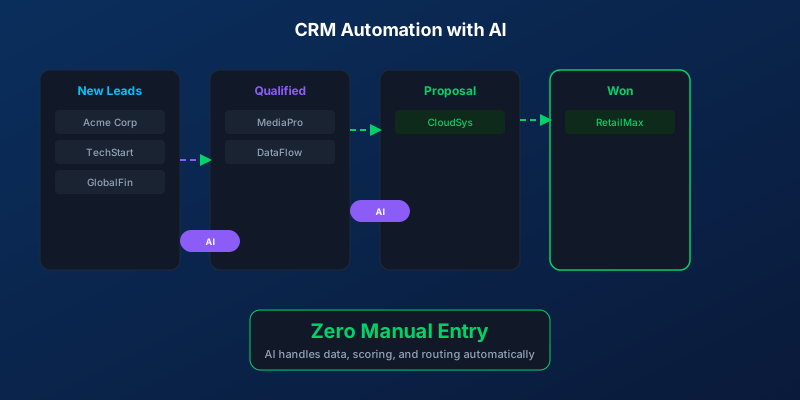
HubSpot is already a strong CRM, but adding AI automation transforms it from a database into an intelligent sales engine. Instead of manually updating records, scoring leads, and triggering follow-ups, AI handles it all in real-time.
What You Can Automate
Contact Enrichment
When a new contact enters HubSpot, AI automatically:
- Pulls company info from LinkedIn and public databases
- Identifies the contact’s role and decision-making authority
- Estimates company size and revenue range
- Tags industry and relevant product interest
Intelligent Lead Scoring
Go beyond basic HubSpot scoring with AI that considers:
- Behavioral signals (email opens, page visits, chat engagement)
- Fit signals (company size, industry, budget indicators)
- Intent signals (pricing page visits, competitor comparisons)
- Timing signals (frequency of engagement, recency)
Automated Deal Stage Updates
AI monitors conversations and activities to move deals forward:
- Meeting booked? Move to “discovery” stage
- Proposal sent? Move to “negotiation” stage
- No activity for 14 days? Flag for follow-up
Email Personalization at Scale
AI drafts personalized emails for each contact based on:
- Their industry and pain points
- Previous interactions with your company
- Their stage in the buying journey
- Content they have engaged with
Integration Architecture
Lead Sources -> HubSpot -> AI Engine -> Actions
                              |
                    [Scoring + Enrichment + Routing]
                              |
                    [Automated Workflows]
Setup Process
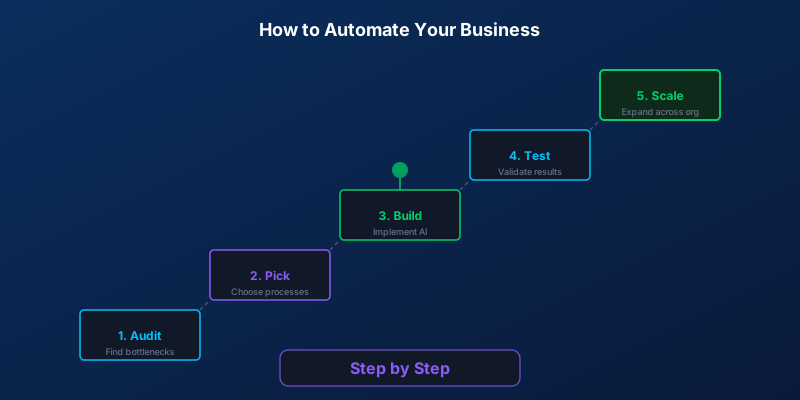
Week 1: Audit current HubSpot setup and identify automation opportunities
Week 2: Configure AI integrations (enrichment APIs, scoring models, workflow triggers)
Week 3: Build and test automated workflows
Week 4: Go live with monitoring, iterate based on results
Practical Workflow Examples
New lead from website form:
- AI enriches contact data (company, role, size)
- Lead score calculated automatically
- If score > 70: notify sales team, send personalized intro email
- If score < 70: enter nurture sequence
Meeting completed:
- AI summarizes meeting notes
- Action items created as tasks in HubSpot
- Follow-up email drafted for rep review
- Deal probability updated
Results
Businesses using AI-enhanced HubSpot report:
- 47% increase in sales productivity
- 35% higher email response rates
- 28% shorter sales cycles
- 3x improvement in lead scoring accuracy
Common Pitfalls
- Over-automating too quickly (start with 2-3 workflows)
- Not cleaning data before adding AI (garbage in, garbage out)
- Ignoring the human element (AI assists, humans decide)
- Skipping the testing phase
Upgrade your HubSpot with AI and turn your CRM into an intelligent revenue machine.
Writer at SORIX, the AI Automation Studio in Brussels. Building chatbots, voice agents, and automations for businesses across Europe and beyond.