Thinking about building a custom AI chatbot? Here is what it takes, what it costs, and the decisions that will make or break your project.
Off-the-Shelf vs Custom: Be Honest With Yourself
Before you invest in custom AI chatbot development, ask yourself one question: does your business actually need a custom solution?
If your chatbot needs are limited to answering basic FAQs, collecting emails, and routing visitors to the right page, an off-the-shelf tool like Tidio, Intercom, or Crisp will do the job. You can be live in a day, and the monthly cost stays between 50 and 200 EUR.
Custom makes sense when you need the chatbot to understand your specific domain deeply. Think: a legal firm where the bot needs to guide clients through intake forms based on case type. Or an e-commerce store where the bot pulls live inventory data, applies discount logic, and processes returns. Off-the-shelf tools break down fast when business logic gets specific.
The honest answer: about 60% of businesses asking about custom AI chatbot development would be better served by a well-configured SaaS tool. The other 40% genuinely need something built for them. Knowing which camp you fall into saves you thousands.
The Tech Stack Decision
If you decide to build a custom AI chatbot for business use, here are the real decisions your development team (or your AI chatbot development company) will need to make.
Language model. Most custom chatbots today run on OpenAI’s GPT-4o, Anthropic’s Claude, or open-source models like Llama 3 or Mistral. GPT-4o and Claude are the safest choices for production. Open-source models give you more control and lower per-query costs, but they require more infrastructure work.
Framework. LangChain and LlamaIndex are the two dominant frameworks for building LLM-powered applications. LangChain is more flexible but has a steeper learning curve. LlamaIndex is better if your primary use case is querying a knowledge base. Some teams skip frameworks entirely and build directly on the API.
Infrastructure. Your chatbot needs a place to live. Most teams deploy on cloud providers like AWS, Google Cloud, or Azure. You will need a vector database (Pinecone, Weaviate, or Qdrant) for storing embeddings, a backend server (Node.js or Python), and a frontend widget or integration layer.
Embedding model. This is the component that turns your documents into searchable vectors. OpenAI’s text-embedding-3-small is the default choice. Cohere and open-source alternatives like BGE work well too.
Training Your Chatbot: RAG, Fine-Tuning, and Knowledge Bases
This is where most people get confused. Let me break it down simply.
Knowledge base. This is your source material. Product pages, FAQs, pricing documents, internal SOPs, past support tickets. You collect everything the chatbot should know and organize it into clean, structured text.
RAG (Retrieval-Augmented Generation). Instead of stuffing all your data into the model, RAG lets the chatbot search your knowledge base in real time and pull only the relevant pieces into each conversation. It is the standard approach for custom chatbots because it keeps answers accurate and up to date without retraining the model.
Fine-tuning. This means actually retraining the language model on your data. It is expensive, time-consuming, and usually overkill. Fine-tuning makes sense when you need the chatbot to adopt a very specific tone or handle highly specialized terminology. For 90% of business chatbots, RAG is the right call.
The practical workflow: clean your data, chunk it into logical sections, generate embeddings, store them in a vector database, and wire up a retrieval pipeline. That is your chatbot’s brain.
The 4 Things That Make Chatbots Fail
We have seen dozens of chatbot projects. The ones that fail almost always hit the same problems.
1. Bad training data. Garbage in, garbage out. If your knowledge base is full of outdated information, contradictory answers, or poorly written content, your chatbot will reflect that. The single biggest predictor of chatbot quality is data quality.
2. No fallback to a human. Every chatbot has limits. When a customer asks something the bot cannot handle, there needs to be a clean handoff to a real person. Chatbots that loop endlessly or give wrong answers instead of escalating will actively damage your customer relationships.
3. No analytics. If you are not tracking what questions your chatbot gets, which ones it answers correctly, and where conversations drop off, you are flying blind. Analytics are not optional. They are how you know whether the project is working.
4. No iteration. Launching a chatbot is not a one-time project. The first version will handle maybe 70-80% of queries well. Getting to 95% requires reviewing conversations weekly, updating your knowledge base, and adjusting the system prompt. Teams that treat chatbots as “set and forget” always end up disappointed.
Realistic Timeline for Custom AI Chatbot Development
Forget the agencies promising six-month timelines with massive budgets. Here is what a focused build actually looks like.
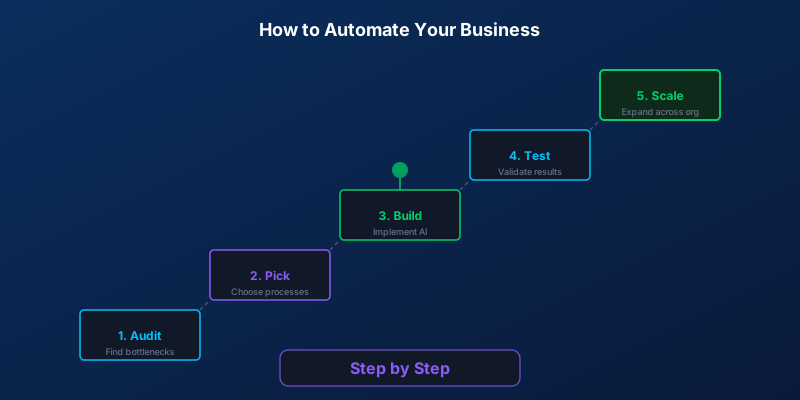
Week 1. Discovery and data collection. Audit your existing content, identify the top 50 questions your customers ask, define the chatbot’s scope, and decide on integrations.
Week 2. Build the core pipeline. Set up the knowledge base, configure RAG, build the retrieval system, and connect the language model. By the end of this week, you should have a working prototype.
Week 3. Integration and UI. Connect the chatbot to your website, CRM, or messaging channels. Build the widget or embed. Set up the human handoff flow.
Week 4. Testing and launch. Run test scripts, handle edge cases, adjust the system prompt, and go live with a soft launch to a percentage of your traffic.
A competent AI chatbot development company can deliver a production-ready v1 in 2 to 4 weeks. If someone tells you it takes 6 months, they are either overcomplicating it or padding the timeline.
Cost Ranges: What You Will Actually Pay
SaaS chatbot widgets. Platforms like Tidio, Drift, or Intercom charge 200 to 500 EUR per month depending on features and conversation volume. Easy to set up, limited customization.
Custom-built chatbot. A one-time development cost of 2,000 to 15,000 EUR depending on complexity, plus 50 to 200 EUR per month for hosting and API costs. You own the solution, control the data, and can modify anything.
The break-even point is usually around 8 to 12 months. After that, custom is cheaper and more capable than SaaS alternatives. The real value, though, is in what a custom solution can do that SaaS cannot: deep integration with your systems, business-specific logic, and full control over the conversation experience.
Integration Points That Matter
A chatbot sitting on your website answering questions is useful. A chatbot connected to your business systems is powerful.
- CRM (HubSpot, Salesforce, Pipedrive). Automatically create contacts, log conversations, and update deal stages based on chatbot interactions.
- Calendar (Google Calendar, Calendly, Cal.com). Let the chatbot book appointments directly, check availability, and send confirmations.
- Payment (Stripe, Mollie). Handle simple transactions, send payment links, or check order status within the conversation.
- WhatsApp Business API. Deploy your chatbot on WhatsApp so customers can reach you where they already are. Same AI, different channel.
Each integration adds 1 to 3 days of development time. Prioritize the ones that eliminate manual work for your team.
How to Evaluate Chatbot Quality
Before you launch, you need to know if your chatbot actually works. Here is how to test it properly.
Write test scripts. Create a list of 50 to 100 questions that real customers would ask. Include easy ones, hard ones, and deliberately tricky ones. Run them all through the chatbot and score the answers.
Test edge cases. What happens when someone asks something completely off-topic? What if they type in a different language? What if they ask the same question five different ways? A good chatbot handles all of these gracefully.
Check the tone. Your chatbot should sound like your brand. If your company is casual and friendly, the bot should not sound like a legal document. If you are a professional services firm, the bot should not use slang. Tone is set in the system prompt and is easy to adjust.
Measure response accuracy. For RAG-based chatbots, you can measure retrieval accuracy (did it find the right documents?) and generation accuracy (did it answer correctly based on those documents?). Aim for 90%+ on both before launching.
When NOT to Build a Chatbot
Sometimes the best chatbot is no chatbot at all.
Your FAQ page is enough. If customers have 10 to 15 common questions and a well-organized FAQ page answers them, adding a chatbot creates complexity without adding value.
Your volume is too low. If you get fewer than 50 customer inquiries per month, a chatbot will not generate meaningful ROI. Your time is better spent on other automation.
Your data is a mess. If you do not have clean, up-to-date content for the chatbot to learn from, the project will fail. Fix your content first, then build the chatbot.
You are not ready to maintain it. A chatbot needs ongoing attention. If nobody on your team will review conversations and update the knowledge base, the chatbot will degrade over time.
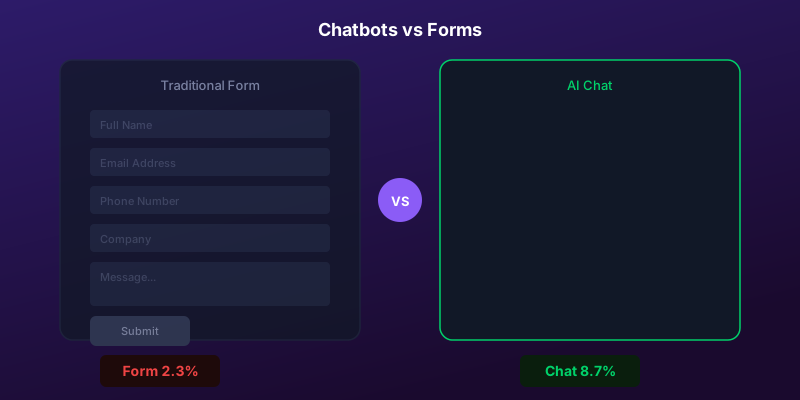
The smartest move is sometimes to start with a simple contact form and a well-written FAQ, then build a chatbot once you have the data and volume to justify it.
Next Steps
If you are still reading, you probably fall into that 40% that genuinely needs a custom solution. The best way to find out for sure is to talk through your specific use case with a team that builds these systems.
Book a free consultation and we will tell you honestly whether custom AI chatbot development makes sense for your business, or whether a simpler solution would serve you better.
Writer at SORIX, the AI Automation Studio in Brussels. Building chatbots, voice agents, and automations for businesses across Europe and beyond.